

22 Dec 2025
Manufacturing Planning Software: From Spreadsheet to APS in Four Stages
Most plants move from spreadsheet to ERP to APS the same way: pushed by a missed delivery. See the four stages, one worked week, and a five-step demo script to take to any vendor.
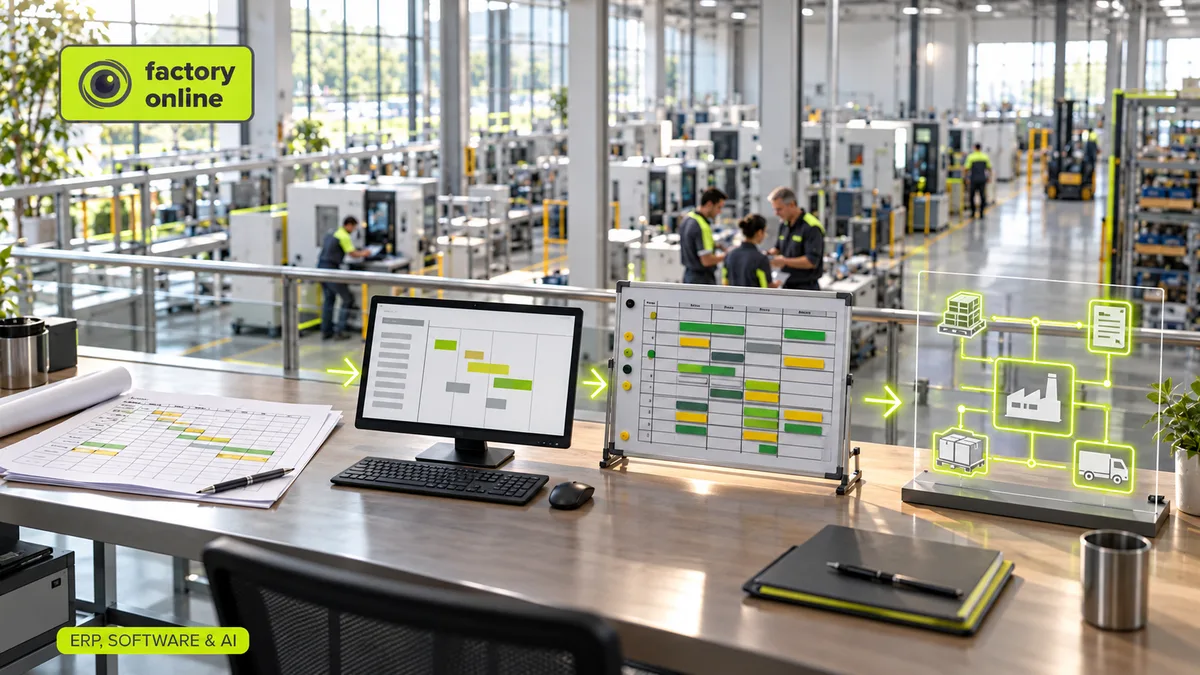
Almost every plant goes through the same four stages of planning. It starts with one smart person and a spreadsheet, moves into the ERP, bolts a scheduling tool onto the ERP, and eventually ends up with materials, capacity and the shop floor working from one shared plan. Most plants don't choose the next stage. They get pushed into it by a missed delivery.
Manufacturing planning software is any system that decides what to make, when, on which resource and with which materials, and checks that the answer is actually possible. That covers a lot of ground, from a well-built spreadsheet to a full APS (advanced planning and scheduling) tool. The useful question isn't "which product is best?" It's "which stage are we in, and what is it costing us?"
The four stages of manufacturing planning software
Stage 1: The spreadsheet. One planner owns a workbook with orders in rows and weeks in columns. It's fast, flexible and free. It breaks when the plant grows past what one head can hold. Production planning in Excel lists the seven signs it has stopped working.
Stage 2: The ERP. Orders, stock and bills of materials move into a system of record, and MRP starts calculating what to buy. Data gets cleaner. But most ERPs plan with fixed lead times and assume every machine has endless capacity. That's why ERP thinks every order takes 10 days while the shop floor knows better.
Stage 3: ERP plus APS. A scheduling tool reads orders from the ERP and sequences them on real machines with real calendars. Now you can see which order finishes when. The weak spot is the seam between the two systems: nightly exports, two versions of the truth, and materials planned in one place and capacity in another.
Stage 4: One shared plan. Sales orders create manufacturing demand, MRP and capacity checks run on the same data, the schedule shows the result, and confirmations from the floor update stock and progress. When a customer moves a date, the planner sees the effect on materials and machines in one place.
Think of it like the move from a paper wall calendar to a shared online calendar. The paper one works fine for a family of three. For a team of forty, you need the calendar that warns you when two people book the same room.
A worked example: one week, three stages
Your extrusion line runs three shifts, five days a week: 3 × 8 × 5 \= 120 hours. Planned maintenance takes 8 hours, so 112 hours are available. Sales books three orders for that week: 38 hours, 46 hours and 52 hours of line time. Total load: 136 hours.
- In the spreadsheet, 136 sits in a cell. If nobody built a formula comparing it to 112, nobody notices.
- In the ERP, each order gets its standard 10-day lead time, and all three dates look fine. The ERP never asked how many hours the line has.
- In an APS or a shared plan, the line is 24 hours over. At 24 running hours per day, that's one full day. The third order finishes Monday instead of Friday, and you know it on the day you book it, not on the day it ships late.
Same data, three different answers. The difference is only whether the software checks capacity.
A demo script to take to any vendor
Vendor demos use clean data where everything fits. Bring your own mess instead. Five questions work with any product:
- Load a real week. Use last month's orders for your busiest resource. Does the tool show it as overloaded?
- Add a rush order. Which orders move, and by how much? Can you see why?
- Take a machine down. Block 8 hours for a breakdown. Does the schedule move on its own, or does someone drag bars around?
- Create a shortage. Remove a component from stock. Does the tool link the shortage to the customer order it hurts?
- Confirm production. Report 70% of an order as done and 5% as scrap. What updates in the plan?
If a vendor can't do these with your data in a two-hour session, a signed contract won't fix it. Production planning vs scheduling explains why steps 1 and 3 test different things.
Myth: "Better planning means replacing the ERP"
It rarely does. The ERP is good at what it was built for: finance, purchasing documents, stock valuation, the order record. What it usually lacks is finite capacity and a fast way to test scenarios. Most plants in stage 3 or 4 keep their ERP and connect the planning layer to it. The real work is agreeing which system owns which data: items, orders, stock, confirmations.
When a spreadsheet is still enough
Honestly, sometimes it is. If you have one planner, a few dozen orders a week, a single bottleneck and a stable product mix, a good spreadsheet may be the right tool. Move on when one of these happens: a second planner needs to edit the same plan, sales can't get a delivery date without asking the planner, or shortages are found at the machine instead of in the plan.
Where AI fits
AI assistants are now showing up in every planning demo. They can be useful, but only on top of stage 4 data. A language model can't tell you which orders a breakdown delays unless it can read the schedule and the MRP results. AI agents in manufacturing shows what a good answer looks like.
How this looks in factory.online
In factory.online, the example above runs on one set of data. Sales orders create manufacturing demand, MRP checks materials through multi-level BOMs, RCCP and finite-capacity scheduling check the line's hours, and the Gantt shows the third order landing on Monday. The planner can copy the plan into a scenario, try moving the 38-hour order to another week, and compare before changing anything live. SAP and Dynamics 365 integrations let the ERP keep its role as the system of record.
A wider rollout also needs agreed process ownership and a tested integration plan. BHAG Digital supports manufacturing readiness assessments, transformation roadmaps and implementation work alongside the choice of software.
If you'd like to run the five-step demo script against your own busiest week, book a demo and bring the data.